Category Archives: Uncategorized

ActivExpression Tutorials

One of the most powerful pieces of technology that can change the face of education today is not the iPad or the Windows 8 tablet, it is the use of ActivExpressions or student response systems. These handheld devices automatically raise student engagement in the classroom.  The fact that students and teachers receive instant feedback after voting changes the environment of the classroom immediately. Teachers can see exactly which questions students missed or which students have mastered the content and need to be challenged.  The beauty of using the Activexpressions is that teachers are able to differentiate instruction based on student data and feedback. Planning lessons using the Acitvexpressions will make a huge impact on your students lives and make your days of grading papers a thing of the past. Finally, we have to share the flipcharts with grade levels with common assessments/surveys. Use these for formative assessments.

There are 4 basic ways to use ActivExpressions.
1. On the fly teaching or Express Poll
2. One question on the page using the Question Manager
3. Self-Paced questions by adding more than one question n the Question Manager
4. Question Generator for Math Facts (no more grading math fact quizzes:)

ActivExpression Tutorial for On the Fly Questions or Using the Express Poll.

Self-Paced ActivExpressions   Her explanations about levels is incorrect. 

Analyzing Test Results

Question manager

ActivExpression LiveBinder

Lessons Learned from the 1:1 Laptop Initiative in Mooresville, NC

Recently, I was able to travel to Mooresville, NC to see K-6 students using laptops in a 1:1 environment. The first school that we visited was Mooresville Intermediate School for grades 4-6.  We arrived at 8:30 just as they finished the News Show, which they broadcasted in English and Spanish. The Spanish speaking students are much more interested in and excited to hear important news and events in their native language.  The principal took us on a tour of the building,  the first room we visited was the Help Desk classroom. It is staffed with a full time Technician. She was formally a kindergarten assistant who enjoyed working with technology. She takes damaged laptops and troubleshoots issues. They also have a district technician who visits to take the machines apart if there are bigger problems involved. Some common occurrences they take care of are resetting passwords, juice or water spills on the keyboards, cracked screens, and even insects inside the computer.

At 8:45-9:15 they have Enrichment and Remediation stations during Homeroom. This is a period of time when students log onto their Portal to check assignments to see if they need to turn in any late work, redo assignments or go on to enrichment activities.  M, W, F are Math Enrichment and Remediation days, T, Th are Reading remediation.  All of their work is posted on the portal and this is where they upload their work. 4th -12th grade students can take their computers home, 3rd grade students leave their laptops at school. Differentiation and individualized instruction were apparent in every classroom. Students were working at their own pace, at their own level, and the teachers became guides on the side.

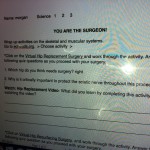
Students used graphic organizers as they conducted research and talked about their findings with partners and in groups as they completed the graphic organizers.  They used worldeducation games and study island to play games with students from all over the world. They used the website edheads  to perform hip surgery.  A class was using Edmodo for a book review, students were using Quizlet to study for tests and play games, and partners were writing a book using StoryBird. Each student had to write specific thoughts as posted by the teacher.

Many students were using virtual manipulatives for fractions and geometry. One accountability practice that we observed was the students took screen shots of their scores on games and showed that to the teacher. She was able to see at a glance if the students understood the concept or if they needed individual help from her.

Teachers used Pages (Word for non Macs) to create 100s, 10s, 1s cubes and students were to color the cubes to display fractions and decimals. A students was using Animoto to create a tornado video as she researched tornadoes.

Displayed on a bulletin board in the hallway, were book reviews. The covers of books were stapled to the board with QR codes attached. The QR codes linked to iMovie Book Trailers created by students.

Next school we visited was Rocky Road Elementary School for K-4. The students in K5-grade 2 shared laptops between grade levels. The classrooms would have 6 laptops per classroom that they used for literacy and math stations. Several students were using Raz Kids and Pebblego.com for reading stations.  For math they were using www.ixl.com and www.xtramath.org for math stations and www.explorelearning.com

The National Superintendent of the Year, Dr. Mark Edwards, met with us after our tour and talked about the culture shift their district went through before they ever introduced the 1:1 concept.  They had meetings with the community, identified teacher leaders and led professional development about how to be teacher leaders. They began thinking “What is best for the students?”.  They met with grade levels from all schools and projects their test data (MAP data for us) on the screen for each teachers and discussed….what is it that this teacher is doing to get these test results? What is the secret? They shared their tips for success. They all believed in their philosophy Every Child Every Day and it showed.

Here is a link to a YouTube video about the visit.

SC Emerging Technology Conference Fun Research Projects

As we begin to implement the Common Core Standards and analyze the College and Career Readiness Anchor Standards, we know that students must read widely and deeply from among a broad range of high-quality,increasingly challenging literary and informational texts. Through extensive reading of stories, dramas, poems, and myths from diverse cultures and different time periods, students gain literary and cultural knowledge as well as familiarity with various text structures and elements. By reading texts in history/social studies, science, and other disciplines, students build a foundation of knowledge in these fields that will also give them the background to be better readers in all content areas. Students can only gain this foundation when the curriculum is intentionally and coherently structured to develop rich content knowledge within and across grades. Students also acquire the habits of reading independently and closely, which are essential to their future success.

Here are some of the ways our students are conducting research in the classrooms.  My favorite website to use for research these days is Instagrok. You can change the reading level of your searches by sliding the bar at the top of the page, which is helpful and you can build  your own Journal to share with students or they can create their own journals of notes.

Another favorite research tool is SC Discus.  Students can create workspace projects as they conduct their research. Students using iPads take screen shots of photos and upload photos into their digital stories and into Apps such as Skitch. They also upload their creations into Edmodo to share with others.

Students need folders with graphic organizers available for writing down their thoughts as they conduct their research. Have the key concepts you’d like for them to find outlined in the graphic organizer.  Many students have enjoyed using the website Jog the Web for webquests that are already created.   They use the laptops to look for the information that the teachers asked for in the graphic organizers. Some excellent graphic organizers are SmartArt in Word and the App Popplet allows you to insert links to videos and photos.

Students using iPads have enjoyed using the App StoryKit to create their own textbooks using photos, their own paintings, recordings of their voices, and typing their findings on each page.

Fun Research Projects

Instagrok

Photos for Primary Sources 

Parker’s Blog

Sara’s Blog

It’s Not the Technology, It’s the Teacher!

How do I become a better teacher? I believe it is all about knowing the content, having positive, caring relationships with your students, and involving students in the learning process.

1. Study the standards/ Common Core standards that you are teaching.
2. Plan your lessons with the end in mind and assess along the way to guide instruction.
3. Let your students create either by drawing, painting, sculpting, building, writing, singing, dancing, speaking, using the computer or iPad: Project-Based Learning. This gives students the chance to practice rigorous thinking required for Common Core.
5. Provide technology for On-Demand access to information: videos, tutorials
6. Differentiate Instructions for all students: ESOL, SPED, Gifted & Talented

Some simple ways to begin the process of creating and differentiating instruction is to use the laptops from your laptop cart, the computers in the labs and in the media center. If you have a few computers in your classroom, put them on tables around the room so more than one person can sit at a computer at a time. It is much more fun and helpful if you work with a partner and students learn so much from each other. Collaboration is one of the 21st century learning skills.

We need to prepare our students for higher level thinking required for college and careers. The first website that I recommend  for you to use with your students is www.instagrok.com .  You have to download Chrome or Firefox in order for it to work on your computers.  You can click on the links above to download them.  Someone will need to do this on all of your laptops and desktop computers.  Use Chrome or Firefox when you want to launch www.instagrok.com. Any subject, standard, concept that you teach has many articles, videos, games, assessments right at your fingertips on this site.

I’ve been attending the Paving the Way to Common Core Workshops with Paula Burgess as we learn about the Language Arts Common Core Standards. One word that stands out in my mind that students need to be able to do across the curriculum is to analyze. First we need to read a passage, talk about it with a partner, then analyze it. This will work beautifully with www.instagrok.com.  You can save your information in the online journal and refer back to it as you create a project from all the information you read and analyze.

Some projects your students could create are simple WordClouds using websites such as www.abcya.com, www.tagxedo.com or www.wordle.net

Students can use the iPad or computers to record their voices as they discuss their findings in MovieMaker, PhotoStory, PowerPOint, Prezi.

A practice that works well that many teachers do across the district is posting links to games, videos of students teaching a lesson, or interactive websites to their blogs or teacher websites. This allows students the opportunity to review if needed any material they didn’t quite understand. For example: Cathy Turner, the webmaster and Computer Lab teacher at Welcome Elementary, posts her lessons on her website. Students know how to navigate to her website and can go through the assignments on her web page. They can do this independently now.  Here is a link to her website:  www.technology-treehouse.com
Parker Rowland, a 4th grade teacher,  from Monaview Elementary School uses his blog to publish mini-lessons of him teaching and his students’ projects:  Mr. Rowland’s Blog  4th Grade teachers at Welcome Elementary like to posts students work and links to activities that correlate to PASS.  Sara Awtrey’s blog is divided by subjects:  Awtrey All-Stars